 Activity Cleaner
Unfollow in bulk, without the risk
See everyone who doesn't follow you back, keep the people you care about, and unfollow the rest at a steady, human pace.
- No password needed
- Free to start
- Cancel anytime
What it does
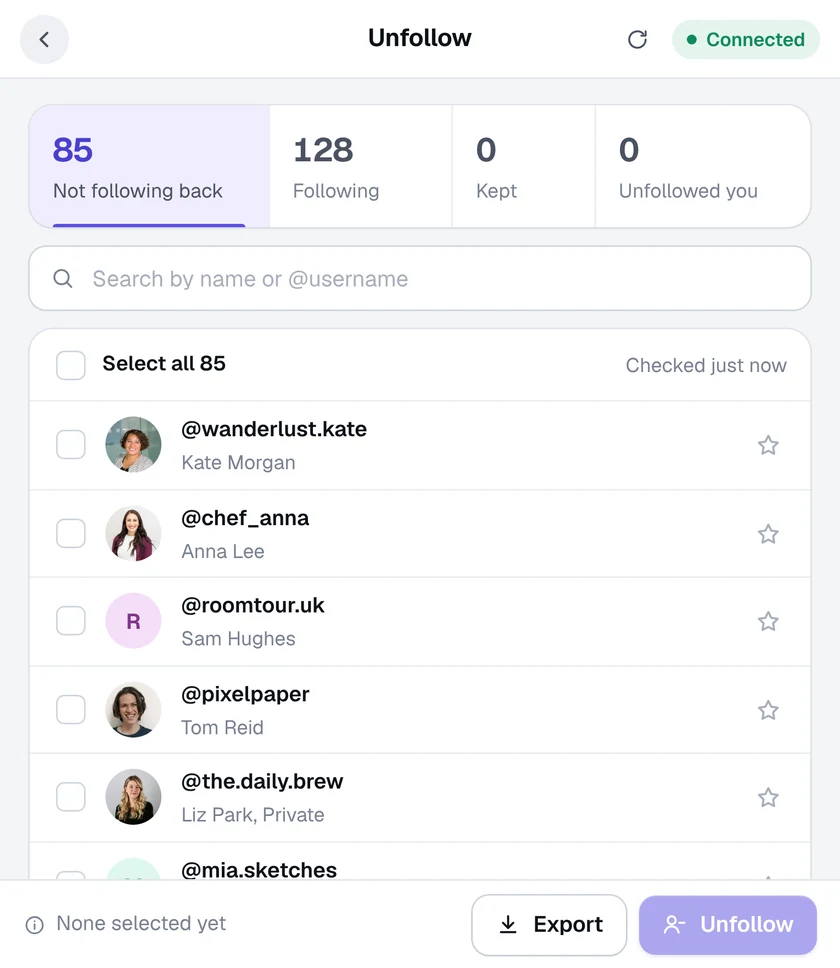
- Not following back, at a glance. Your followers and the people you follow are compared for you, with counts for each list.
- Keep anyone you like. Star an account to keep it, and it's never unfollowed. You can also keep every verified account automatically.
- Search and select fast. Find people by name or @username, select them one by one or all at once.
- A daily limit you set. Choose how many accounts can be unfollowed in 24 hours. The rest wait until tomorrow.
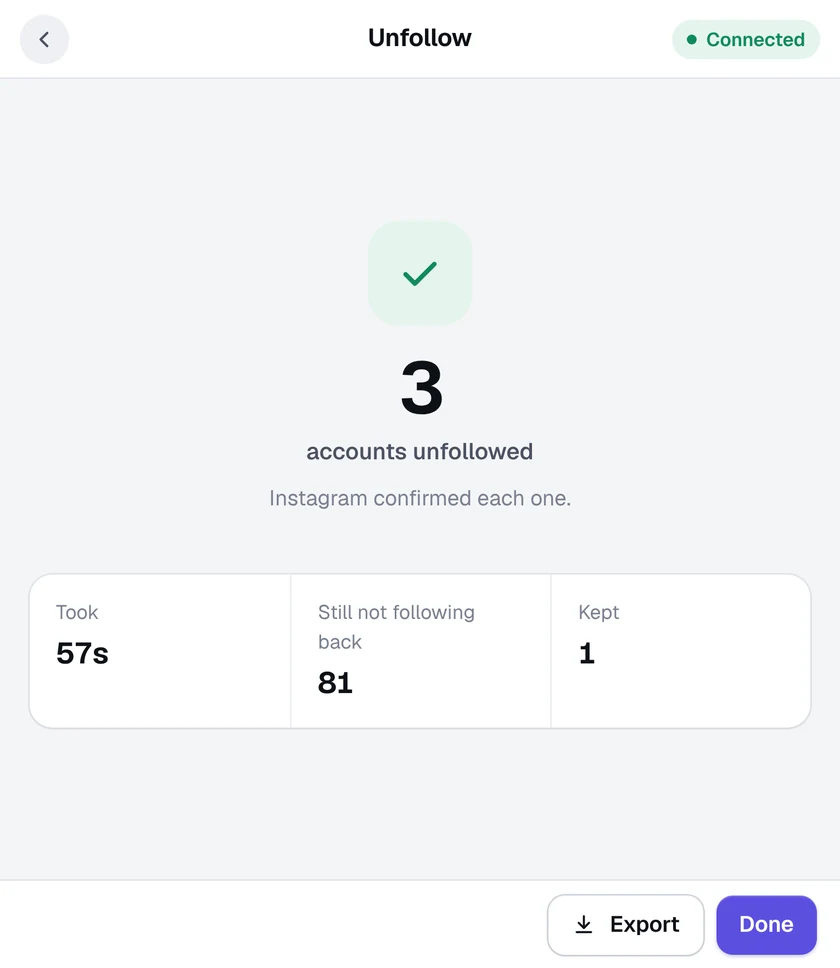
- Exact results. Each unfollow is checked with Instagram before it's counted, and you can export the list as a CSV file.
How it works
- 1
Open your profile
Open Instagram in Chrome, click the Activity Cleaner icon and choose Unfollow.
- 2
Review the list
Everyone who doesn't follow you back is listed. Star anyone you want to keep.
- 3
Unfollow
Select the accounts to unfollow and confirm. You can pause or stop at any time.
Questions
Will mass unfollowing get my account blocked?
Activity Cleaner works at a steady, human pace, takes a short break after every few accounts and stops the moment Instagram asks it to slow down. You can also set your own daily unfollow limit. No tool can promise Instagram will never limit an account, but this one is built to stay well within normal use.
Does it unfollow people who follow me back?
Only if you choose them. The tool shows who doesn't follow you back, and nothing is unfollowed until you select accounts and confirm.
How many accounts can I unfollow for free?
The free plan includes 25 removals every 24 hours, shared across all seven tools. Each confirmed unfollow counts as one. Pro has no daily limit.
More tools in Activity Cleaner
Ready when you are.
Add Activity Cleaner to Chrome, open Instagram and pick a tool. Your first 25 removals are on us, every day.