 Activity Cleaner
See who unfollowed you, privately
Activity Cleaner keeps track of your followers in your own browser. Check again later and anyone who left shows up in its own list.
- No password needed
- Free to start
- Cancel anytime
What it does
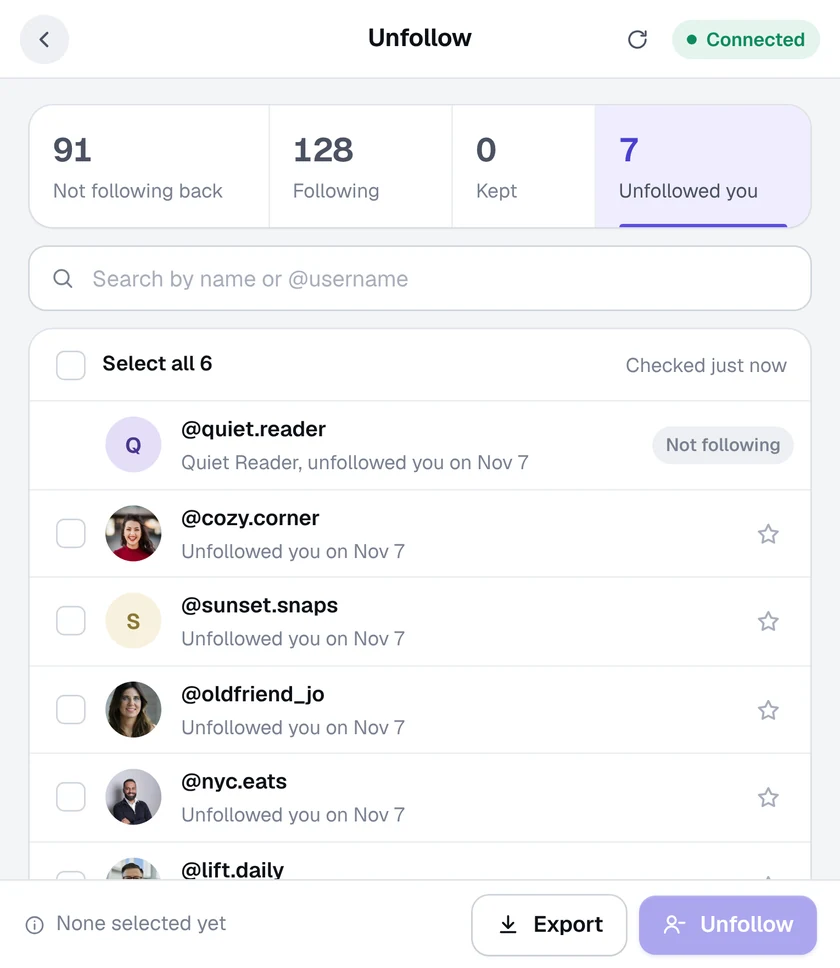
- A list of who left. The Unfollowed you tab shows each account that stopped following you, with the date it happened.
- Stays on your computer. Your follower history is kept in this browser only. It's never uploaded anywhere.
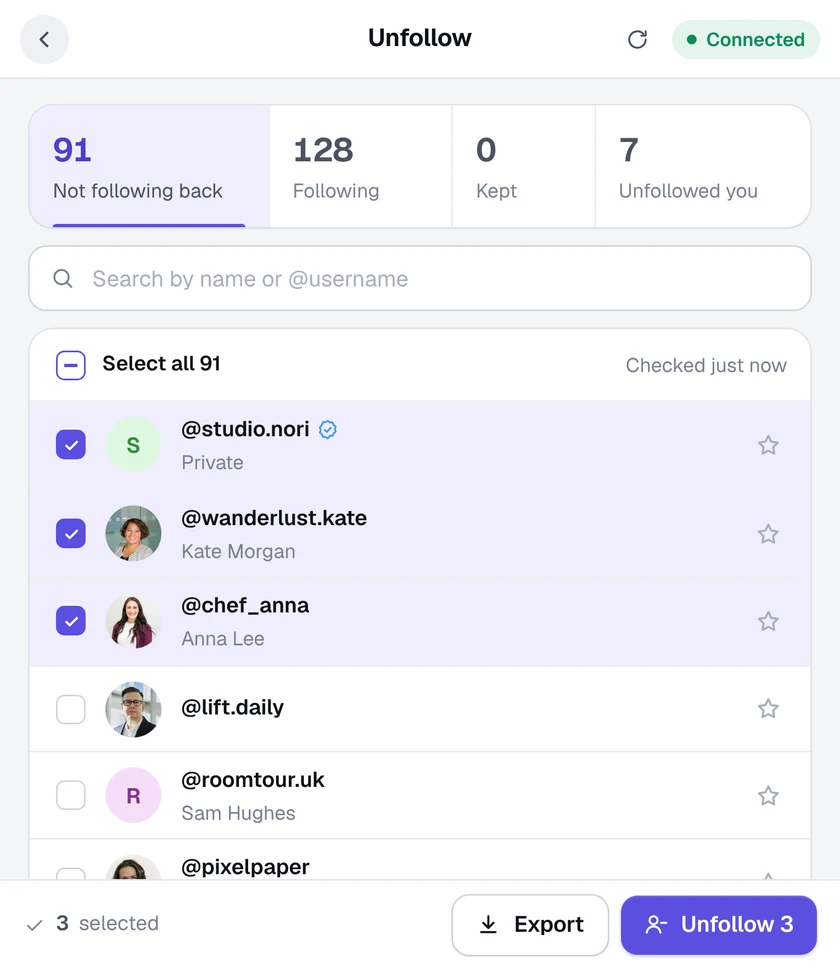
- Act on it, or don't. Unfollow them back in a click, or just keep the list. Export it as a CSV file if you like.
- No password, no app. It uses the Instagram login already open in Chrome. Nothing to sign up for.
How it works
- 1
Take your first look
Open the Unfollow tool once. That starts tracking who follows you.
- 2
Come back later
Open it again any time. Activity Cleaner compares your followers with last time.
- 3
See who left
Anyone who unfollowed you appears under Unfollowed you, with the date.
Questions
Can it show who unfollowed me before I installed it?
No. Instagram doesn't share past unfollows, so tracking starts the first time you open the Unfollow tool. Anyone who unfollows you after that shows up.
Will people know I checked?
No. Reading your own follower list doesn't notify anyone.
Is checking free?
Yes. Seeing who unfollowed you never uses your free removals. Only confirmed removals, such as an unfollow, are counted.
More tools in Activity Cleaner
Ready when you are.
Add Activity Cleaner to Chrome, open Instagram and pick a tool. Your first 25 removals are on us, every day.